Holiday software killed FSD!

BuddyOtter

New member
First Name
Buddy
Joined
Jan 3, 2023
Threads
0
Messages
2
Reaction score
0
Location
USA
Vehicles
Model S, Model 3
Country flag
Can 100% confirm it was my aftermarket light bar causing the issue.

After disconnecting the spliced connector and updating again everything worked as expected including FSD function.

I then plugged my light bar in again and immediately all the issues returned. I returned the connector back to stock and everything works as expected.

I believe a lot of the digital rear view mirrors use that same connection point. Something with this last update has made that splice nonfunctional.
I have the same lightbar and now have an issue after the holiday update. I’ll try unplugging it and resetting to see if that fixes it since FSD is more important to me. Maybe it’ll be fixed in the future.

Also I’ve had no issues with the lightbar causing any audio problems or errors, until now. I’ll probably switch it out for a functional lightbar if it’s not fixed by spring.
Sponsored


PungoteagueDave

Well-known member
First Name
David
Joined
Mar 2, 2025
Threads
2
Messages
800
Reaction score
863
Location
Boynton Beach
Vehicles
‘25 Tesla Cybertruck, ‘26 Tesla MY Launch, ‘13 Porsche C4S, ‘26 BMW R1300 GSA
Occupation
retired
Country flag
I highly doubt it because others on the internet are reporting the exact same issue and they don't have the same mods that I do. Additionally, NOTHING you plug into the power port in either footwell would affect FSD that is on a completely different system.

(Actually see my response in a following message, if it is the seat sensor that the aftermarket harness is messing with then I can see where FSD wouldn't work if it didn't get a signal from the seat sensor that made sense.)
Can 100% confirm it was my aftermarket light bar causing the issue.

After disconnecting the spliced connector and updating again everything worked as expected including FSD function.

I then plugged my light bar in again and immediately all the issues returned. I returned the connector back to stock and everything works as expected.

I believe a lot of the digital rear view mirrors use that same connection point. Something with this last update has made that splice nonfunctional.
Wait, so my diagnosis is correct? Can’t be so, because @REM and HA say I’m a lying sack of excrement (butt-hurt because I brought receipts to their arguments that Elon Musk has never once lied)… no evidence of course but I was starting to believe it myself. Happy to be of assistance this one time. Merry Christmas 🎄🎅
 
Last edited:

Spartan_117

New member
Joined
Oct 22, 2025
Threads
0
Messages
4
Reaction score
2
Location
Kansas City
Vehicles
Cybertruck
Country flag
What item did the KC Service center push to you? They pushed the same update again to me, it installed, rebooted and had the exact same issues, no FSD (I do have park assist), and the driver seat sensor doesn't detect me sitting in the seat. (Could that be a safety issue?)

I do have a service appointment scheduled for next week but so far for me the reinstall of the same version they pushed to me a 2nd time did NOT fix the situation.
I am not 100% sure if the update came from the KC Service Center or from Tesla but the Current Software is 2025.44.25.5. Current FSD Software is v14.2.1.25. Everything is working fine so far.
 

Cybertruck26

Well-known member
First Name
Chris 🇺🇸 🇮🇪 🇨🇦
Joined
Apr 10, 2023
Threads
28
Messages
1,151
Reaction score
1,553
Location
Bay Area, CA
Vehicles
Cyberbeast (07/2024 delivery)
Occupation
Veteran, Engineer, Space 🤓
Country flag
Man, I still haven't even gotten the new update pushed yet. Sounds like it will probably get a tip release for these FSD issues though.
 

cadamo001

Well-known member
First Name
Chris
Joined
May 16, 2024
Threads
3
Messages
152
Reaction score
254
Location
Jackson, NJ
Vehicles
Model 3 Highland, Cyberbeast
Occupation
Sales
Country flag
Installed the holiday update and everything works as before. The truck is less concerned with the speed limit signs now and drives more along with traffic. Much faster on hurry which is good and bad.
My truck still has the hesitation to change lanes on the highway. And hesitation to do certain things like enter a circle or leave a circle if there are other cars there. Overall I am okay with it but the hesitation to change lanes is annoying more than anyone.
Wish there was a macro available to start FSD and turn off wipers :)
Did around 500 miles since the holiday update so feel pretty confident in the errors so far.
Does everyone have that hesitation to change lanes on the highway? Or is that just me? I had it since 14.2.


Korben Dallas

Well-known member
Joined
Jul 11, 2024
Threads
7
Messages
133
Reaction score
117
Location
Olympic Mountains
Vehicles
Tesla MYP & FS Cybertruck
Occupation
Retired
Country flag
Something odd happened the other day. Upon opening the app I immediately noticed that FSD v14.2.1.25 was in the process of installing even though I had not initiated it myself. It was at 10% at the time & then an hour later I checked status & it was still at 10%. WTH?

And before anyone asks, there’s a strong wifi connection about 10’ away with just a wall in between.

An hour or so after that it was only at 11% & that’s when I decided it’s going to be a very long download which was fine with me because I had no desire to go out in the rainstorm(s) currently pummeling the PAC NW (8.2" since Sunday). Late afternoon I check again only to find it wasn’t downloading anymore, however, the current FSD version hasn’t changed either, so I assumed the install eventually timed out.

The next morning the same thing happened again. When I opened the app FSD 14.2.1.25 was in the middle of an install & at 10% again. After maybe 1.5 hours it finished the install but I haven’t taken it for a drive a yet.

But based on what I’m reading here, I’ll certainly hop inside to see if everything appears to be working fine & will definitely report back here if I find anything suspicious.
 
OP
OP
TeslaKen

TeslaKen

Well-known member
First Name
Ken
Joined
Apr 26, 2024
Threads
92
Messages
1,093
Reaction score
1,578
Location
Overland Park
Website
www.halocybertruck.com
Vehicles
Cyberbeast, M3PD+, GT4, XK140OTS
Occupation
Currently Occupied
Country flag
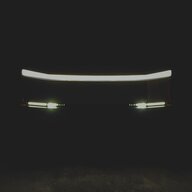
I wonder if this has something to do with it? I have a bumper light bar installed which plugs into the right front speaker harness. It caused a small error message shown here

https://www.cybertruckownersclub.co...umper-light-bar-installed.37114/post-30589801

It has not caused any functionality issues and I’ve ignored it for months with everything working perfect. But I wonder if everyone that has had issues with this last update has some modifications to the truck?

I got the service center to push the update to the car again since reinstalling from the service menu did nothing. Before trying to install I’m going to unplug the spliced connectors and get the truck back to stock to see if that is somehow interfering with the update. Of note, I’ve had the light bar Installed for many months and through many previous updates with no issues before. Perhaps this one updated a module that has not been updated before so now my spliced connector is causing the issue.
I can confirm that removing the front light bar harness from my truck fixed the issue, the seat detection now works and FSD now works. Why something changed with this update and how seat detection was implemented I do not know.

I did leave the Hansshow mirror harness in place for the time being and it is not affecting the seat sensor or FSD.
 

BuddyOtter

New member
First Name
Buddy
Joined
Jan 3, 2023
Threads
0
Messages
2
Reaction score
0
Location
USA
Vehicles
Model S, Model 3
Country flag
Ok I can confirm that at least some accessories that plug into the passenger side wiring harness prevent FSD from working properly after this latest update. It appears as though they interfere with the driver occupancy detection.

current solution is to remove the intermediate harness.
 

PatPwl

Member
First Name
Pat
Joined
Aug 10, 2024
Threads
2
Messages
14
Reaction score
11
Location
Texas
Vehicles
Model YLR, Cybertruck AWD
Occupation
Retired
Country flag
After loading the holiday software update my FSD no longer works despite reboots and power off and dr8ving and I have tried button on steering wheel and tapping screen and nothing makes FSD engage. I checked in menu and FSD is selected. Anyone else had this happen?
Interestingly, mine too is inconsistent. Sometimes the "one button press" works but more often I must press the brake pedal and select direction to go before I can engage.
 

Cybertruck Tampa

Well-known member
First Name
Ben
Joined
Feb 28, 2020
Threads
1
Messages
142
Reaction score
388
Location
Florida
Vehicles
Cybertruck
Country flag
After loading the holiday software update my FSD no longer works despite reboots and power off and dr8ving and I have tried button on steering wheel and tapping screen and nothing makes FSD engage. I checked in menu and FSD is selected. Anyone else had this happen?
Hadn’t drove mine since the holiday update downloaded Sunday. Drove it today, no issues with FSD or seat sensor.


PatPwl

Member
First Name
Pat
Joined
Aug 10, 2024
Threads
2
Messages
14
Reaction score
11
Location
Texas
Vehicles
Model YLR, Cybertruck AWD
Occupation
Retired
Country flag
IS IT JUST ME?

I love my 2025 Cybertruck AWD, 2023 Model YLR, AND FSD (Supervised).

I am so happy that the CT no longer clips curbs on turns, remains centered in the lane, turns into the correct lane at intersections, and doesn't rush up to stopped cars - stopping quickly and too close.

BUT, navigation suffers greatly in the last two revisions. It doesn't choose the smart routing that it did previously. I've had the vehicle go past the destination, whereas previously it went there, pulled in, and parked. At WORK, it now chooses to go to a spot about 500 feet shy of my WORK location, whereas it previously went there with no issues. The NAV base is current, and I have FSD 14.2.1.25. The same navigation shortfalls are also encountered in My Y - also with the latest software.

AND, while I understand the desire for FSD to control speed in driverless vehicles, as a driver I still need to have specific speed control (rather than just a mode) for multiple situations where modes don't meet the need -- including school zones, where the incorrect Speed Limit is chosen by the vehicle, as well as other needs.
 

Seekmastery

Well-known member
Joined
Sep 25, 2024
Threads
5
Messages
104
Reaction score
117
Location
St. Charles, Mo
Vehicles
2024 Cyberbeast
Country flag
The FSD worked when I did the holiday update on the first day or two. But I've noticed today it's not working at all. I have also had the issue where my screen goes black right when I get in and sit down. I thought I was going crazy but now I know they have an issue.
 

giusep

New member
First Name
Giusep
Joined
Nov 20, 2024
Threads
0
Messages
2
Reaction score
1
Location
SoCal
Vehicles
24 Cybertruck
Country flag
Truck in today No fix and the just wait for update
Tesla Cybertruck Holiday software killed FSD! IMG_0179
 

jehazel75

Member
First Name
Josh
Joined
Jul 16, 2025
Threads
0
Messages
12
Reaction score
8
Location
Mississippi
Vehicles
Cybertruck and Model S Plaid
Country flag
Also confirmed removing the wiring harness for the bumper light bar resolved the issue with not having FSD after the holiday update.
Sponsored


Top