
• Welcome to Tesla Roadster Forum! If you're joining us from Cybertruckownersclub.com, then you may already have an account here.

    If you were registered on the Cybertruck forum as of September 18, 2026 or earlier, then you can login here with the same username and password.

    If you wish, you can remove your account here.

Apple CarPlay and rear camera

jackychu

Well-known member
First Name
Jacky
Joined
Mar 18, 2024
Threads
24
Messages
107
Reaction score
263
Location
San Jose, CA
Vehicles
Cybertruck, Model Y
Country flag
I bought an Apple CarPlay Monitor and it comes with wireless "backup" camera. I install the camera on my trailer. Then I have backup video view when I am towing.

I tried to get 12v power from the box on top of windshield. Which I watch @edc video (He removed that video??)
But I cannot insert the wires into the socket. Due to they are too soft. Does anyone have ideas to insert red/black wires into socket?

Tesla Roadster 2nd gen Apple CarPlay and rear camera IMG_1224
Tesla Roadster 2nd gen Apple CarPlay and rear camera IMG_1225
Tesla Roadster 2nd gen Apple CarPlay and rear camera IMG_1226.JPG

Tesla Roadster 2nd gen Apple CarPlay and rear camera IMG_1227.JPG
Tesla Roadster 2nd gen Apple CarPlay and rear camera IMG_1228
 

MechEng813

New member
First Name
Rick
Joined
Feb 18, 2020
Threads
0
Messages
1
Reaction score
0
Location
Philadelphia
Vehicles
2015 Yukon Denali, 2017 Acadia, 1993 Jurassic Park Wrangler #12, Dual-Motor CyberTruck
Occupation
Mechanical Engineer
Country flag
Did the mount come with the CarPlay kit, or did you pick that up separately?
Any other close up pictures showing how you have it secured to the original mirror's location?
 
OP
OP
jackychu

jackychu

Well-known member
First Name
Jacky
Joined
Mar 18, 2024
Threads
24
Messages
107
Reaction score
263
Location
San Jose, CA
Vehicles
Cybertruck, Model Y
Country flag
Did the mount come with the CarPlay kit, or did you pick that up separately?
Any other close up pictures showing how you have it secured to the original mirror's location?
No I purchased separately.
Remove original mirror you will see it attached by 20mm ball
So I bought 20mm ball mount adapter then connect to it.
You can find different brand of 20mm ball mount adapter from Amazon.
Tesla Roadster 2nd gen Apple CarPlay and rear camera IMG_1369
Tesla Roadster 2nd gen Apple CarPlay and rear camera IMG_1370
Tesla Roadster 2nd gen Apple CarPlay and rear camera IMG_1371
 

OMFG

Well-known member
Joined
Dec 14, 2023
Threads
2
Messages
95
Reaction score
106
Location
Texas
Vehicles
Bronco Wildtrak, Raptor 6.2, Cyberbeast (soon)
Country flag
No I purchased separately.
Remove original mirror you will see it attached by 20mm ball
So I bought 20mm ball mount adapter then connect to it.
You can find different brand of 20mm ball mount adapter from Amazon.
IMG_1369.webp
IMG_1370.webp
IMG_1371.webp
Genius. Glad you posted pics of this...I have used Ram mounts for years, I had no idea that our mirrors were mounted via a 20mm ball mount. Opens up all kinds of options, not just for mounting a carplay screen (quick clamp to hold shades, long arm to hold some janky undersized sunshade up in the window, third arm for another beer, etc) lol. Serious note, 67Designs and Ram both have all kinds of things we can use that ball mount for vs. that tinnie winnie rearview mirror that was never originally going to be there.

Edit...had to add a pic.
Tesla Roadster 2nd gen Apple CarPlay and rear camera 1719528042396-a4
 

SentinelOne

Well-known member
First Name
Jason
Joined
Dec 18, 2019
Threads
45
Messages
1,149
Reaction score
716
Location
Colorado
Vehicles
See Sig
Occupation
IT
Country flag
How does the mirror come off of the ball? is there a set screw or just pull? Asking for a friend! :cool:

Going to put my Garmin Zumo XT up there and buy a backup camera for it from Garmin...no CarPlay but 5.5", quality build, backup GPS, Backup Camera, etc - can tap off of mirror for power or just use 6hr battery....
 

mhaze

Well-known member
First Name
mhike
Joined
Jul 17, 2021
Threads
4
Messages
329
Reaction score
113
Location
Texas
Vehicles
Tesla 3; Smartcar; F150 Raptor; Avalanche 2500 4x4
Country flag
I bought an Apple CarPlay Monitor and it comes with wireless "backup" camera. I install the camera on my trailer. Then I have backup video view when I am towing.

I tried to get 12v power from the box on top of windshield. Which I watch @edc video (He removed that video??)
But I cannot insert the wires into the socket. Due to they are too soft. Does anyone have ideas to insert red/black wires into socket?



IMG_1227.JPG
Very interesting!

Yes the problem of red and black not directly fitting because too soft is common. You buy an adapter power cable to fix this. I will show one example, because I don't know which you need without seeing the end that provides power. Post a pic or measure it in mm and we can get more specific. This example one of the two wires is screwed down one is loose.[/QUOTE]

Tesla Roadster 2nd gen Apple CarPlay and rear camera tempImageJeFRUA


Tesla Roadster 2nd gen Apple CarPlay and rear camera tempImageXXxTeg
 

TyPope

Well-known member
First Name
Ty
Joined
Mar 31, 2020
Threads
28
Messages
2,400
Reaction score
1,225
Location
Chesapeake Beach, MD
Vehicles
'23 MYLR, Cyberbeast 2800xx
Occupation
Current Operations for... an organization
Country flag
What if... follow me here...

What if someone were to remove their mirror and put their phone up there on a magnetic mount.

And what if that person kept a magnetic mirror in the truck

And what if that person was able to hot swap between their phone and the mirror should *ahem* events warrant?
 

gaubong053

Well-known member
First Name
Tuan
Joined
Jan 20, 2024
Threads
3
Messages
86
Reaction score
91
Location
Sacramento, CA
Vehicles
MXP, Cybertruck AWD FS.
Occupation
Software engineer
Country flag
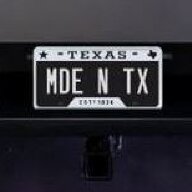
I bought an Apple CarPlay Monitor and it comes with wireless "backup" camera. I install the camera on my trailer. Then I have backup video view when I am towing.

I tried to get 12v power from the box on top of windshield. Which I watch @edc video (He removed that video??)
But I cannot insert the wires into the socket. Due to they are too soft. Does anyone have ideas to insert red/black wires into socket?

IMG_1227.JPG
You can buy this wire from Amazon https://a.co/d/bqBw7Yn then cut and solder(or tape) your wire to it.
 

shuakin

Member
First Name
Josh
Joined
May 13, 2024
Threads
1
Messages
18
Reaction score
9
Location
Metrowest Boston
Vehicles
Model 3, Model Y AWD, Cybertruck AWD
Occupation
Engineer
Country flag
Becareful. The Voltage inside the autopilot housing is 15.5v. You will need to step it down to 5v if you are using a usb-c connector.
 
 
Top