

• Welcome to Tesla Roadster Forum! If you're joining us from Cybertruckownersclub.com, then you may already have an account here.

    If you were registered on the Cybertruck forum as of September 18, 2026 or earlier, then you can login here with the same username and password.

    If you wish, you can remove your account here.

Open glove box option is weird

Stuck4ger

Well-known member
Joined
Dec 6, 2019
Threads
36
Messages
1,013
Reaction score
893
Location
Cape Canaveral, FL
Vehicles
Cyberbeast
Occupation
Aerospace
Country flag
Here is actual command... "Open Butthole"... Im Serious. Try it next time!

I know there are a few others like "open the rear thing" or glovebox, open"..

I'd play around with it. It's pretty lenient.
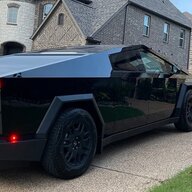
I thought butthole worked for the charging port. Seriously
 
OP
OP
panthar

panthar

Well-known member
First Name
RS
Joined
Apr 11, 2024
Threads
16
Messages
225
Reaction score
112
Location
Texas
Vehicles
Model Y , CyberTruck
Country flag
Youre probably actually seeing “hold to close” which happens when it doesnt shut fully and needs an override to close all the way.

IMG_5307.jpeg

yes what does it mean ?

I have always 3 options TOGGLE

1.) Tap to Open
2.) Tap to Close
3.) Hold to Close.
 

Mettalicron

Well-known member
Joined
Dec 26, 2023
Threads
4
Messages
66
Reaction score
55
Location
Utah
Vehicles
Model X, Cybertruck
Occupation
Software Engineer / Business Owner
Country flag
yes what does it mean ?

I have always 3 options TOGGLE

1.) Tap to Open
2.) Tap to Close
3.) Hold to Close.
Happens to me when somethings sticking up too high and it blocks the closing action
 

AlmostHuman

Well-known member
Joined
May 1, 2024
Threads
7
Messages
844
Reaction score
704
Location
Earth
Vehicles
Model X, Cybertruck
Occupation
Human
Country flag
Happens to me when somethings sticking up too high and it blocks the closing action
Same here, even the smallest item touching as it closes makes it stop or stick in the hold to close state. After I removed some things that would shift around I have not had the issue.
 
OP
OP
panthar

panthar

Well-known member
First Name
RS
Joined
Apr 11, 2024
Threads
16
Messages
225
Reaction score
112
Location
Texas
Vehicles
Model Y , CyberTruck
Country flag
Same here, even the smallest item touching as it closes makes it stop or stick in the hold to close state. After I removed some things that would shift around I have not had the issue.
Nothing in glovebox , not even a single paper and still keeps saying “hold to close” … the. I press it for 2-3 seconds and option flips to tap to open
 

AlmostHuman

Well-known member
Joined
May 1, 2024
Threads
7
Messages
844
Reaction score
704
Location
Earth
Vehicles
Model X, Cybertruck
Occupation
Human
Country flag
Oh that is wild :/

Wonder if the service center can easily fix it?
 
 
Top