Black306
Well-known member
- Joined
- Oct 18, 2024
- Threads
- 8
- Messages
- 604
- Reaction score
- 1,258
- Location
- Sacramento
- Vehicles
- ‘24 DM CT | ‘23 M3 RWD
LockChime.wavThe download link was expired. Can you share again? Thank you.
Sponsored
LockChime.wavThe download link was expired. Can you share again? Thank you.
Thank you!
Thanks for the sound effect. I make my own video (Taiwanese Narrated)
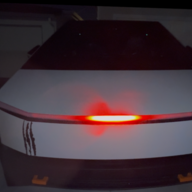
This is perfect! I smile every time it locks now.Thanks to whoever posted that thread about adding the custom lock sound. I had never clicked in that boombox app before, here’s my sound!
Link to download sound file: KITT Lock Sound
Steps:
1. Download the .WAV file above (LockChime.wav)
2. Put file on Sentry Mode flash drive that's in glove compartment
3. Make sure file is in the root directory (no sub folders, you'll see TeslaCam on there)
4. Go to "Toybox" app on CT
5. Open Boombox
6. Turn on "Lock Sound"
7. Select USB from the dropdown
8. Be like the Hoff!